
To manually add a new Administrator / Teacher account to the SWIFT platform, please follow the instructions below:
- Sign in with your Administrator login credentials via www.myedassess.com
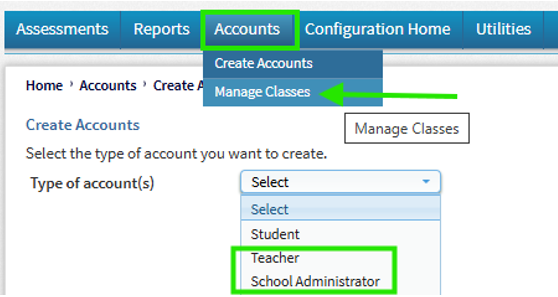
- Hover over ‘Accounts’ and select ‘Create Accounts’
- Then select ‘School Administrator’ from the drop-down menu:
- Complete all the required information on the form
-
- The email address can be used as the Unique ID as well as the Username.
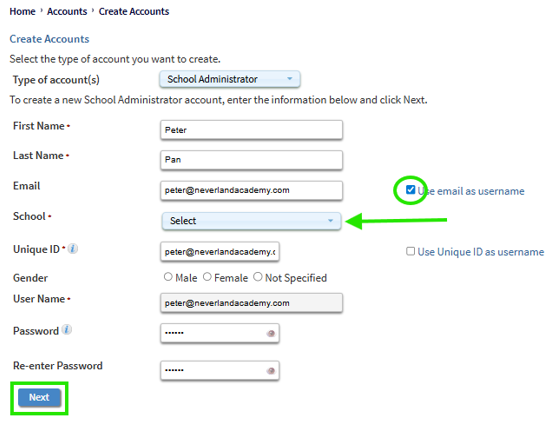
- Once all the required information has been entered, click ‘Next’
- Another screen will now appear with a summary of the account information. Click ‘Save’